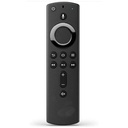


marman® Compatible Voice Remote Control L5B83H for Fire TV Stick 2nd Generation, Alexa Voice Remote Replacement for Fire Stick 2nd Gen and Stick TV Pendant Design (3rd Gen)
9 sold in last 24 hours
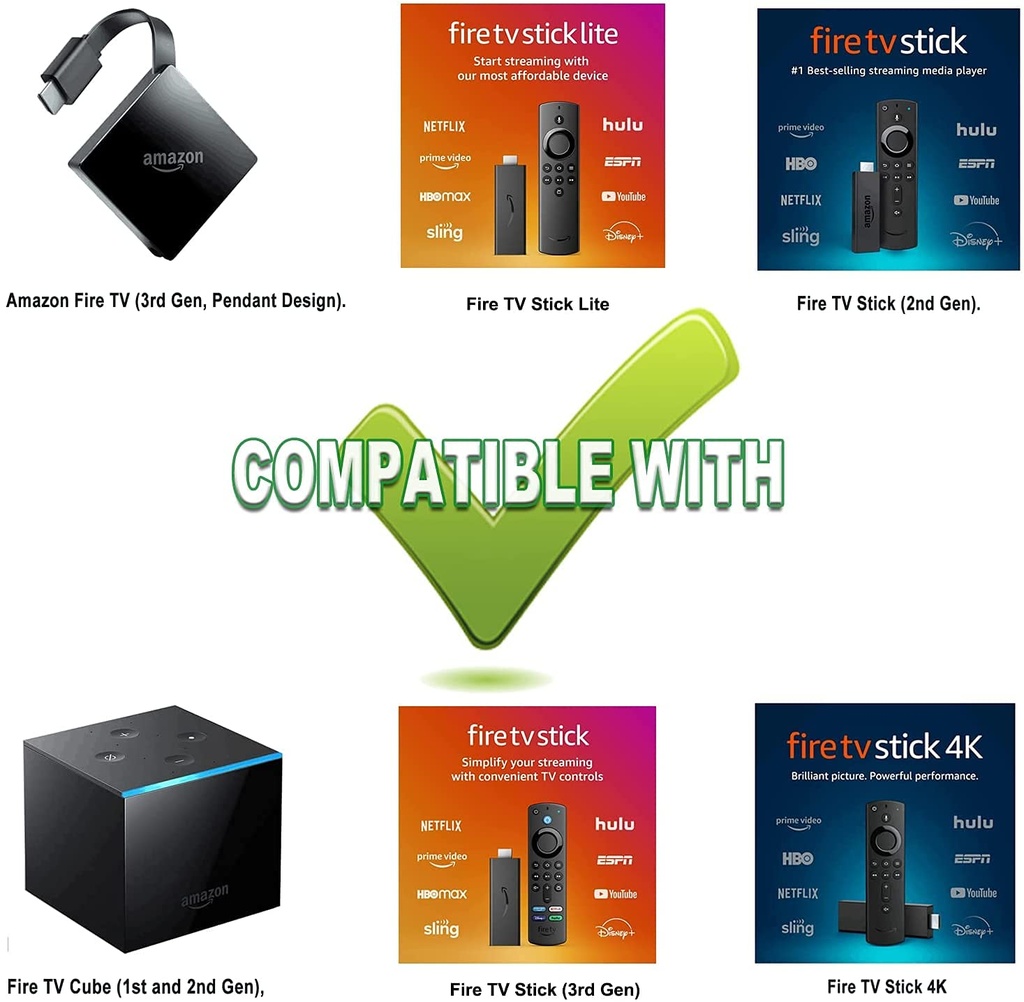
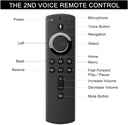
- New Replacement Voice Remote Control (2nd GEN) with Power and Volume Control fit for Fire TV Device, compatible with Fire TV Cube (2nd Gen), Fire TV Stick (2nd Gen), Fire TV Stick 4K, Fire TV Cube (1st Gen), Fire TV Cube (EX69VW) , Fire TV Stick (3rd Gen), Fire TV Stick Lite and Fire TV (3rd Gen, Pendant Design)
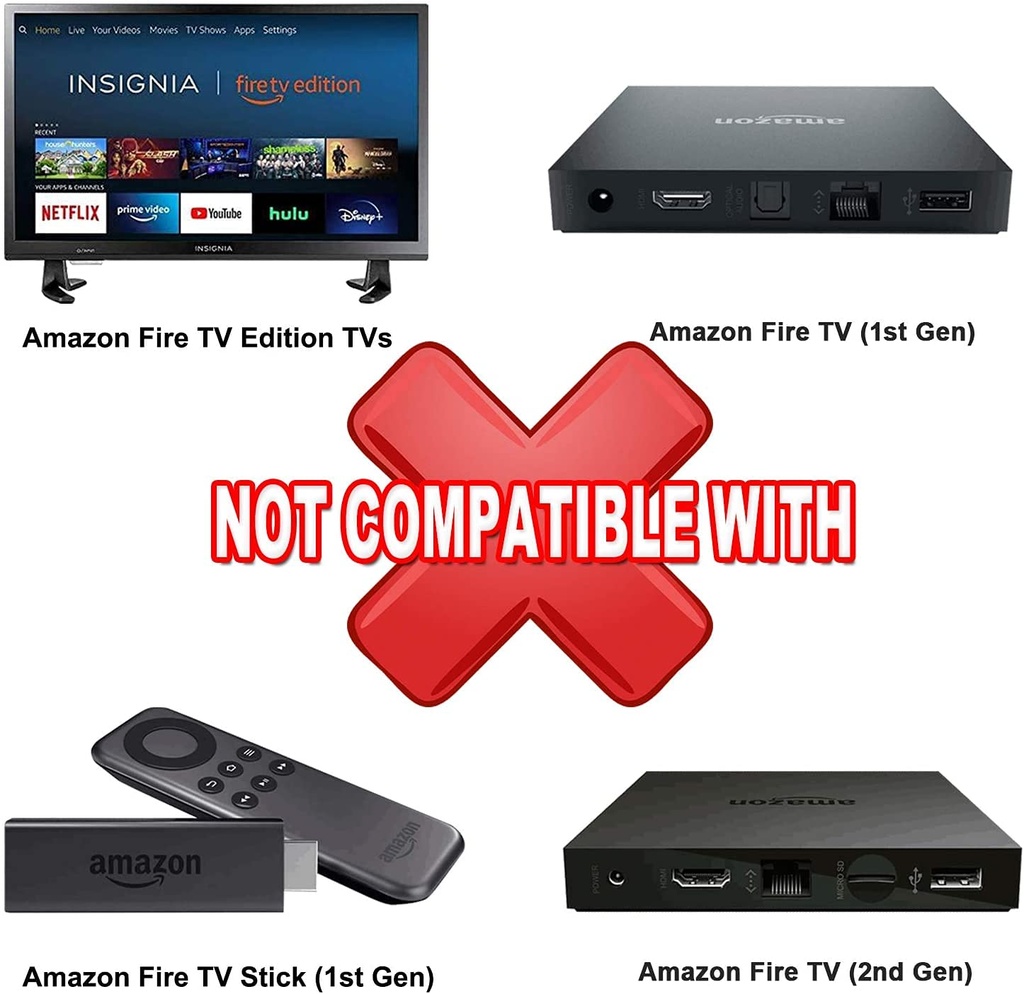
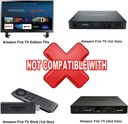
- Not compatible with Fire TV (1st and 2nd Gen), Fire TV Stick (1st Gen), or Fire TV Edition smart TVs.
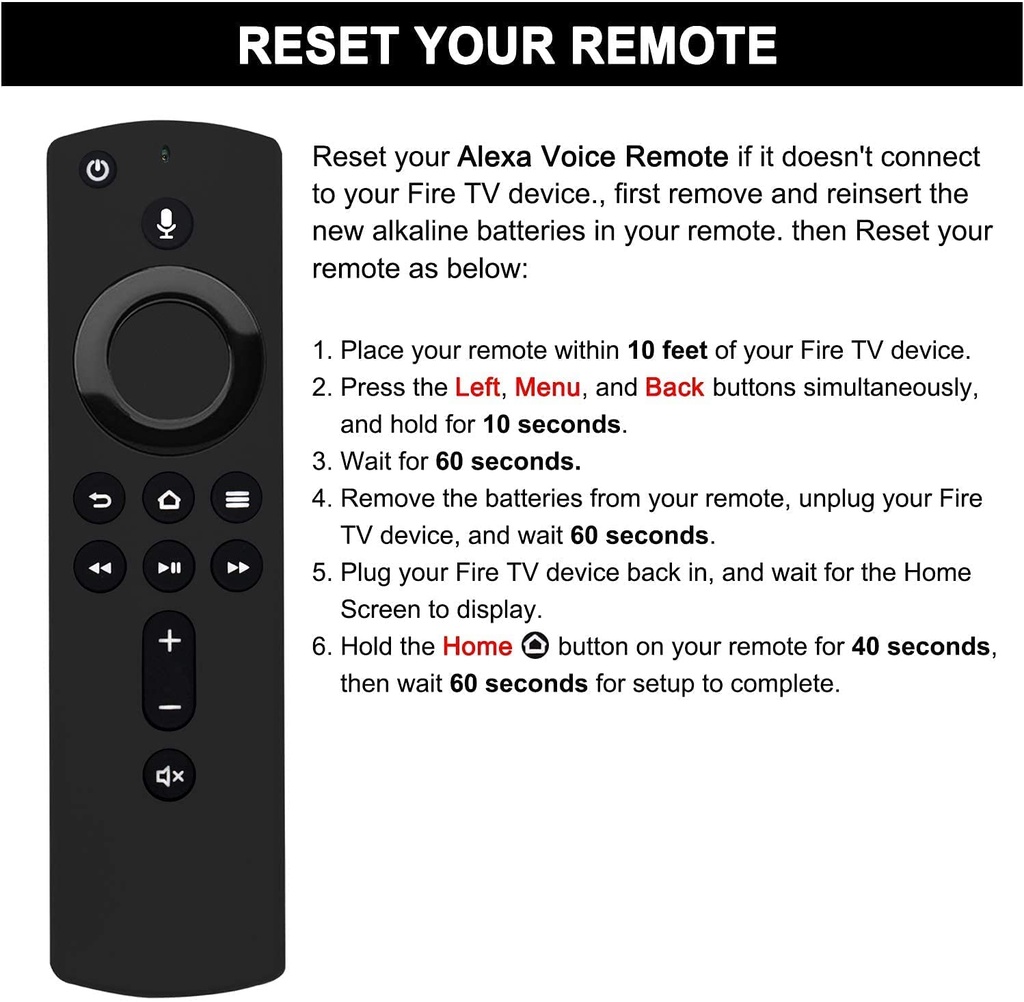
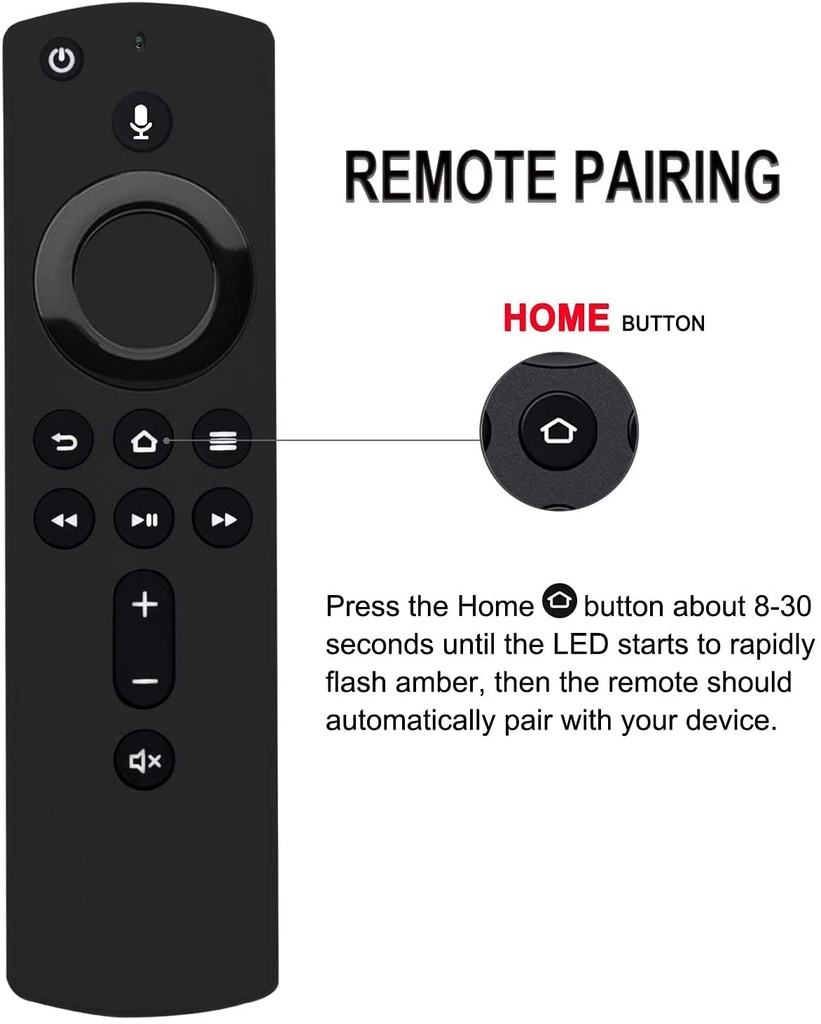
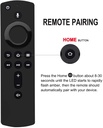
- This is voice remote control, you need to pair it firstly before you use, and below is pairing steps: Press the Home button about 8-30 seconds until the LED starts to rapidly flash amber, then the remote should automatically pair with your device.
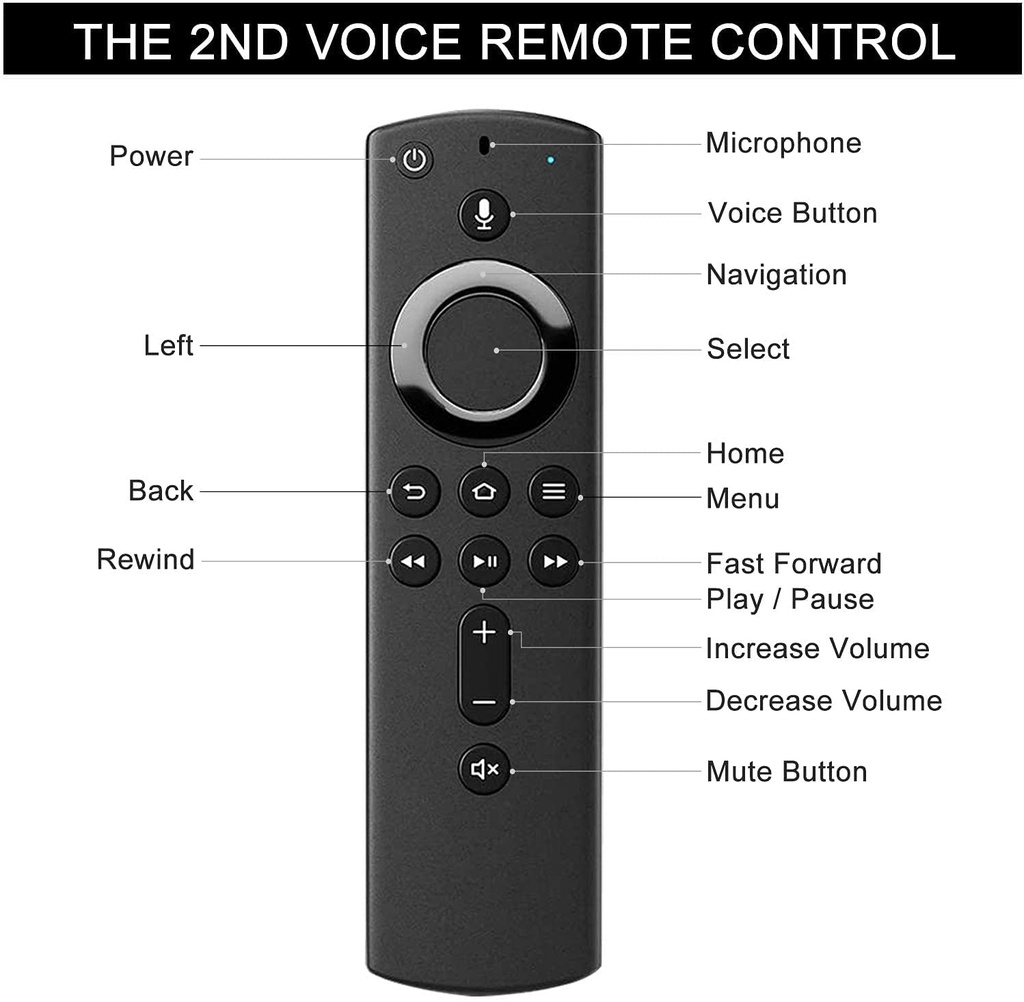
- With standard navigation and playback controls, you can quickly skip to your favorite scenes.
- Alexa funtion make it easily to find, lauch and control all existing content you want, such as play music, view sports scores, check the weather, see live camera feeds, and control compatible smart home devices.
Estimated shipping
Select a product to estimate shipping.Important information
Legal Disclaimer:
Brand and Trademarks marman® & marman® Logo are registered trademarks of marman® in Class 9 & Class 11 under intellectual property rights government of India. Without written permission from marman®, it is not allowed to use our registered trademarks and/or logos.
Fire Tv Stick Remotes Pairing Method
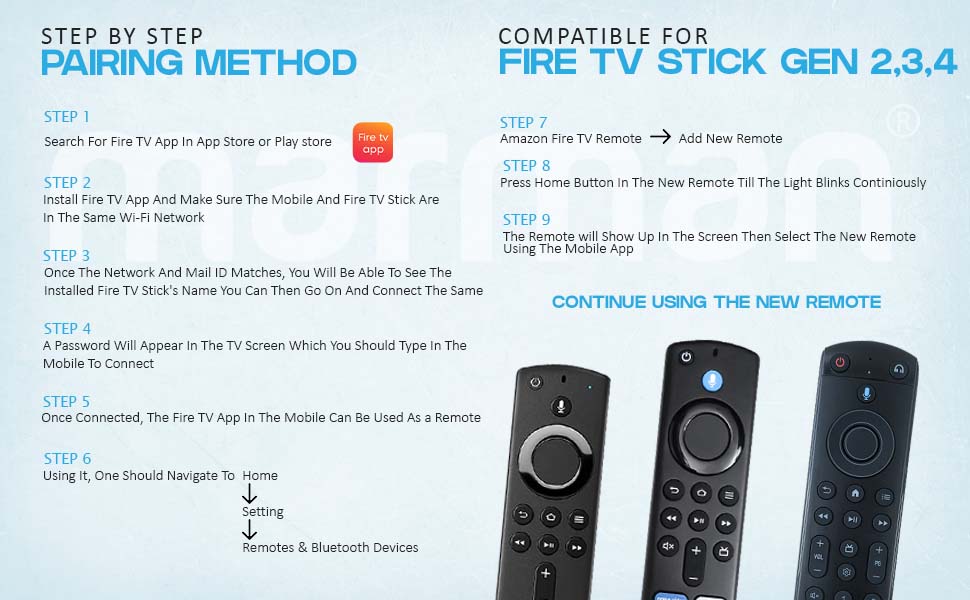
How to Pair Your Fire TV Remote Using the Fire TV App
Pairing your Fire TV remote with your device is a smooth and straightforward process. Whether you’re setting up a new remote or choosing to use your mobile device as a remote control, the Fire TV App offers a seamless solution. Follow these simple steps to connect your Fire TV Stick and enjoy an effortless streaming experience right at your fingertips.
Step 1: Search for the Fire TV App in the App Store (for iPhone/iOS) or Store (for Android devices).
Step 2: Download and install the Fire TV App on your mobile device. Ensure both your mobile device and Fire TV Stick are connected to the same Wi-Fi network for a smooth connection.
Step 3: Launch the Fire TV App and sign in using the same account linked to your Fire TV Stick. Your Fire TV Stick will automatically appear within the app.
Step 4: A password will appear on your TV screen. Enter this password into the Fire TV App on your mobile device to securely pair the app with your TV.
Step 5: Once successfully connected, the Fire TV App will serve as your remote control. You’ll now be able to navigate menus, search for your favorite content, and control playback directly from your mobile device.
Step 6: Open the Home Settings section of the Fire TV App, and navigate to Remotes & Bluetooth Devices to begin pairing your new remote.
Step 7: In the Remotes & Bluetooth Devices menu, select Add New Remote.
Step 8: Take your new Fire TV remote and press and hold the Home button until the LED indicator blinks continuously.
Step 9: The new remote will appear on the screen. Select the remote from the list to finalize the pairing process.
Now that your Fire TV remote is paired, you’ll be ready to explore endless content, adjust settings, and navigate your Fire TV Stick with ease. Enjoy a smooth, enhanced viewing experience, all from the comfort of your couch. The convenience and control are in your hands, making entertainment simple and enjoyable!
Fire Tv Stick Voice Remotes
Take Control with the Fire TV Stick - 2nd Gen Remote
Voice Control for Hands-Free Streaming
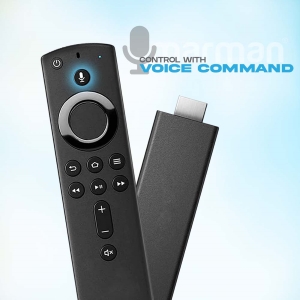
The Fire TV Stick 2nd Gen Remote makes streaming easy and effortless with its built-in Voice Control feature. Simply press the Voice button and speak your command, whether it’s searching for a movie, playing music, or switching between apps.
With Voice Control, you can navigate your Fire TV Stick hands-free, stream your favorite shows, and adjust playback settings without lifting a finger. Seamless Navigation with Voice Commands
Say goodbye to scrolling through menus or typing in search queries. The Voice Control feature allows you to quickly find what you're looking for by simply speaking your request.
Whether you're searching for a specific title, browsing your favorite streaming services, or controlling volume, Voice Commands provide quick and easy navigation.
The Fire TV Stick 2nd Gen Remote ensures you get the most out of your streaming experience, making it smarter, simpler, and more enjoyable.
Quick Access to Your Favorite Streaming Apps - 3rd Gen Remote
Instant Access with Shortcut Keys on the Fire TV Stick 3rd Gen Remote
Streamline Your Entertainment Experience
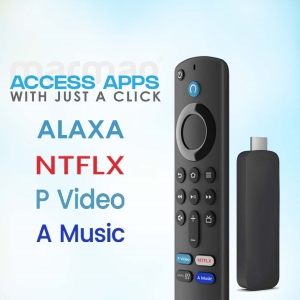
The Fire TV Stick 3rd Gen Remote is designed for convenience with shortcut keys that provide immediate access to popular streaming services like Netflix, Prime Video, and Disney+. With just one press of a button, you can jump straight into your favorite apps, eliminating the need to navigate through multiple menus.
These shortcut keys save you time and streamline your streaming experience, making it easier to enjoy your favorite content faster.
The shortcut buttons on the Fire TV Stick 3rd Gen Remote are strategically placed for easy reach, offering quick access to streaming platforms, settings, and features.
Whether you're in the mood for a movie on Prime Video, a show on Netflix, or browsing your favorite content on Disney+, these pre-programmed buttons give you more control, less hassle, and more time to enjoy entertainment without interruptions.
No More Battery Replacements - 4th Gen Remote
Rechargeable Battery with Type C Port for the Fire TV Stick 4th Gen Remote
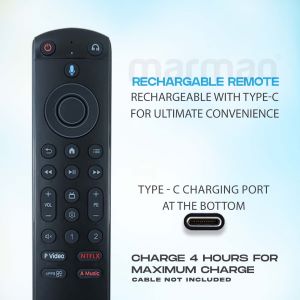
The Fire TV Stick 4th Gen Remote features a rechargeable battery with a Type C port, ensuring a hassle-free experience. Say goodbye to disposable batteries—simply recharge your remote using a Type C cable (sold separately) for long-lasting performance.
The Type C charging port allows for faster and more efficient charging, so your remote is always ready for use when you need it most.
With the built-in rechargeable battery, the Fire TV Stick 4th Gen Remote eliminates the need for constantly replacing batteries, offering convenience and reducing waste.
The Type C charging port ensures quick and reliable recharging, so your remote will be powered up and ready for hours of streaming.
Please note that the Type C cable is not included, so you’ll need to use your own cable for charging.
Product details

| Main Specification | |
|---|---|
| Special Feature | Lightweight or Ergonomic or Pre Programmed or Voice Search or Bluetooth Remote |
| Manufacturer | marman |
| Unit Count | 1.00 Count |
| Controller Type | Voice Control |
| Max Number of Supported Devices | 1 |
| Brand | marman |
| Number of Items | 1 |
| Model Name | Fire TV Stick 4K |
| Compatible Devices | FireStick |
| Maximum Range | 10 metres |
| Colour | Black |
| Product information | |
| Number of Packs | 1 |
| Technical Details | |
| Manufacturer Part Number | L5B83H |
| Country of Origin | India |
| Item details | |
| Model Number | L5B83H |
| Item Type Name | 2nd generation Fire TV Stick 4K Remote |
| Others | |
| Product Features | Lightweight or Ergonomic or Pre Programmed or Voice Search or Bluetooth Remote |
| Packer Contact Information | Marman Infotech OPC Pvt Ltd or 80 Swamy Naicken Street or Chintadripet or Chennai-600002 or Contact: +91 7200129097 or [email protected] |
| Importer Contact Information | Marman Infotech OPC Pvt Ltd or 80 Swamy Naicken Street or Chintadripet or Chennai-600002 or Contact: +91 7200129097 or [email protected] |
| Product Type | 2nd generation Fire TV Stick 4K Remote |
| Network Connectivity Technology | Bluetooth |
| Maximum Number of Supported Devices | 1 |
| Battery Types | Alkaline |